

Overview
Payment page hosted by Novasend to collect Mobile Money and card payments.
Checkout is a payment page hosted by Novasend. You create a session on your server, redirect your customer to the checkoutUrl link, and Novasend handles data entry, the operator, the bank card and status tracking.
No card data goes through your servers: card entry is secured by our PCI DSS certified partner.
Which integration should I use?
| Integration | Who displays the form? | Payment methods | Use it if… |
|---|---|---|---|
| Checkout | Novasend (hosted page) | Mobile Money, bank card | You want to collect payments quickly without building a form. |
| Mobile Money (direct) | You | Mobile Money | You want your own interface and pick the operator server-side. |
Payment flow
Create the session
Your server calls POST /v2/payin/sessions with the amount, reference, allowed payment methods and your return URLs. The response contains checkoutUrl.
Redirect the customer
Redirect your customer's browser to checkoutUrl. The link is unique to the session and expires at expiresAt.
The customer pays
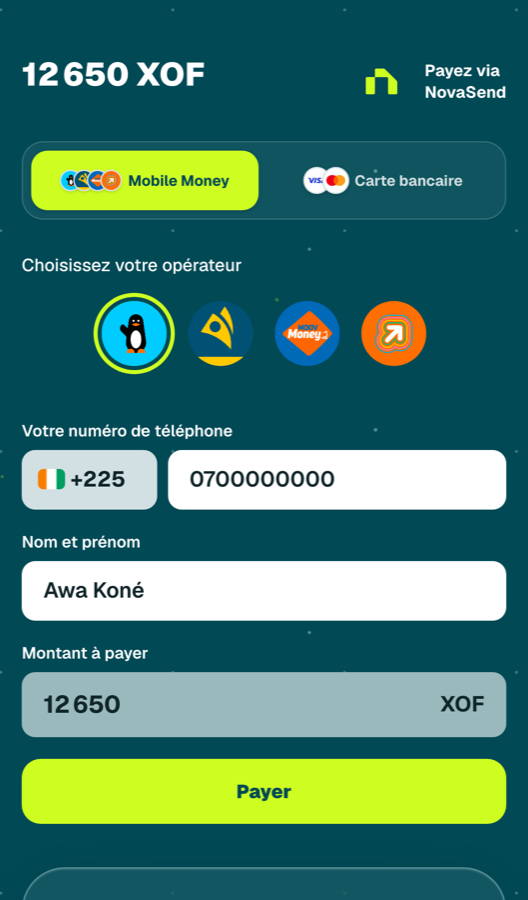
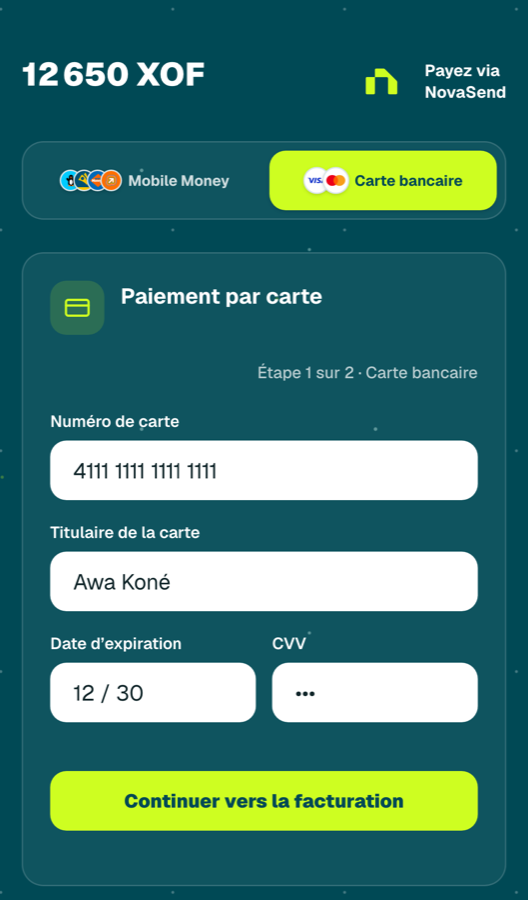
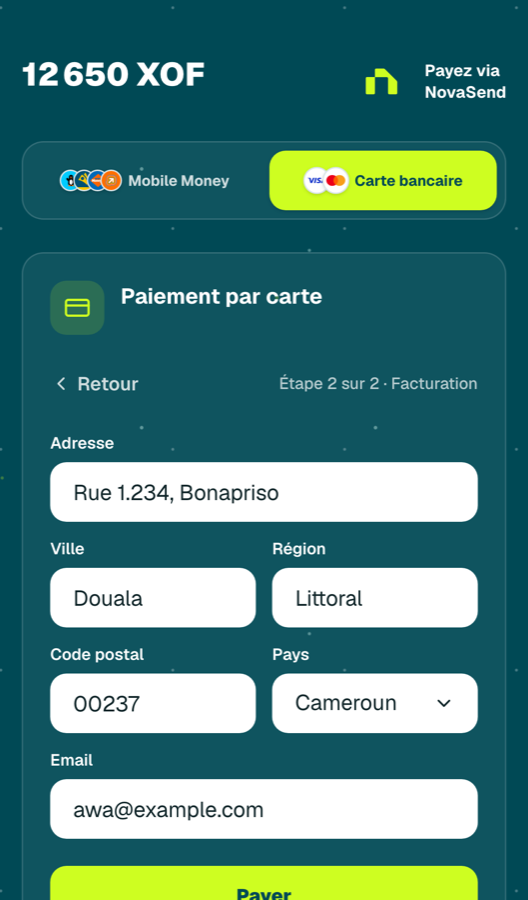
The customer chooses Mobile Money (operator, number, name) or Bank card (card then billing, in two steps). For some operators such as Wave, they are redirected to the operator's app to approve.
Receive the result
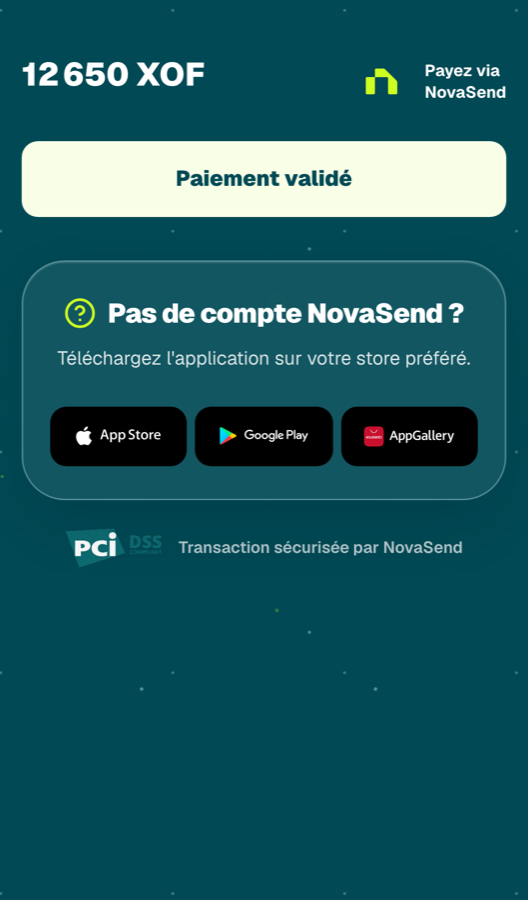
Novasend sends the final status to your webhook and redirects the customer to returnUrls.success or returnUrls.failure.
Never fulfil an order based only on the redirect to returnUrls.success: the
customer can close the page or edit the URL. Only the signed webhook is
authoritative.
Preview
The page adapts to mobile and desktop. The amount shown is the total charged amount (chargedAmount). The page is displayed in French.
Payment methods
- Mobile Money: the available operators depend on the session country (see Payment options and limits). The dialling code is prefilled from the country.
- Bank card: Visa and Mastercard. The billing address is limited to CEMAC countries.
Choose the methods offered with allowedPaymentMethods. When only one method is allowed, the customer does not see the selector.
Session statuses
| Status | Meaning |
|---|---|
created | Session created, no payment started. |
processing / pending | Payment started, waiting for the operator or bank to confirm. The page refreshes automatically. |
completed | Payment approved. |
failed | Payment declined or failed. |
expired | The session expired before a payment was started. |
A started payment is never re-sent automatically: if the customer opens the link again, they see the current status instead of a new form.