

Introduction
Overview of the Novasend API, authentication flow, limits, and supported formats.
Base URL
| Environment | Base URL | Usage |
|---|---|---|
| Sandbox | https://sandbox.novasend.app/ | Simulated scenarios with sandboxScenario |
| Production | https://business.novasend.app/ | Real operations |
To simulate an operation on Sandbox, use
https://sandbox.novasend.app/and addsandboxScenarioto thePOSTpayload with one ofcompleted,failed, orpending.
{"sandboxScenario":"completed"}
Welcome to the Novasend Merchant API documentation.
Objectives
The Merchant API allows partners to integrate payment and transfer functionalities into their applications or internal systems.
Features
It provides the following capabilities:
- Initiate payments.
- Perform transfers.
- Receive real-time notifications.
- Refund a transaction.
Environments (Sandbox vs Production)
You can switch between Sandbox (Test) and Production (Live) environments. Each environment is strictly isolated:
- API Keys, Webhooks, Transactions, and Reports are distinct for each environment.
- Nothing is transferred from one environment to another.
- This allows you to develop and test safely in Sandbox before moving to Production.
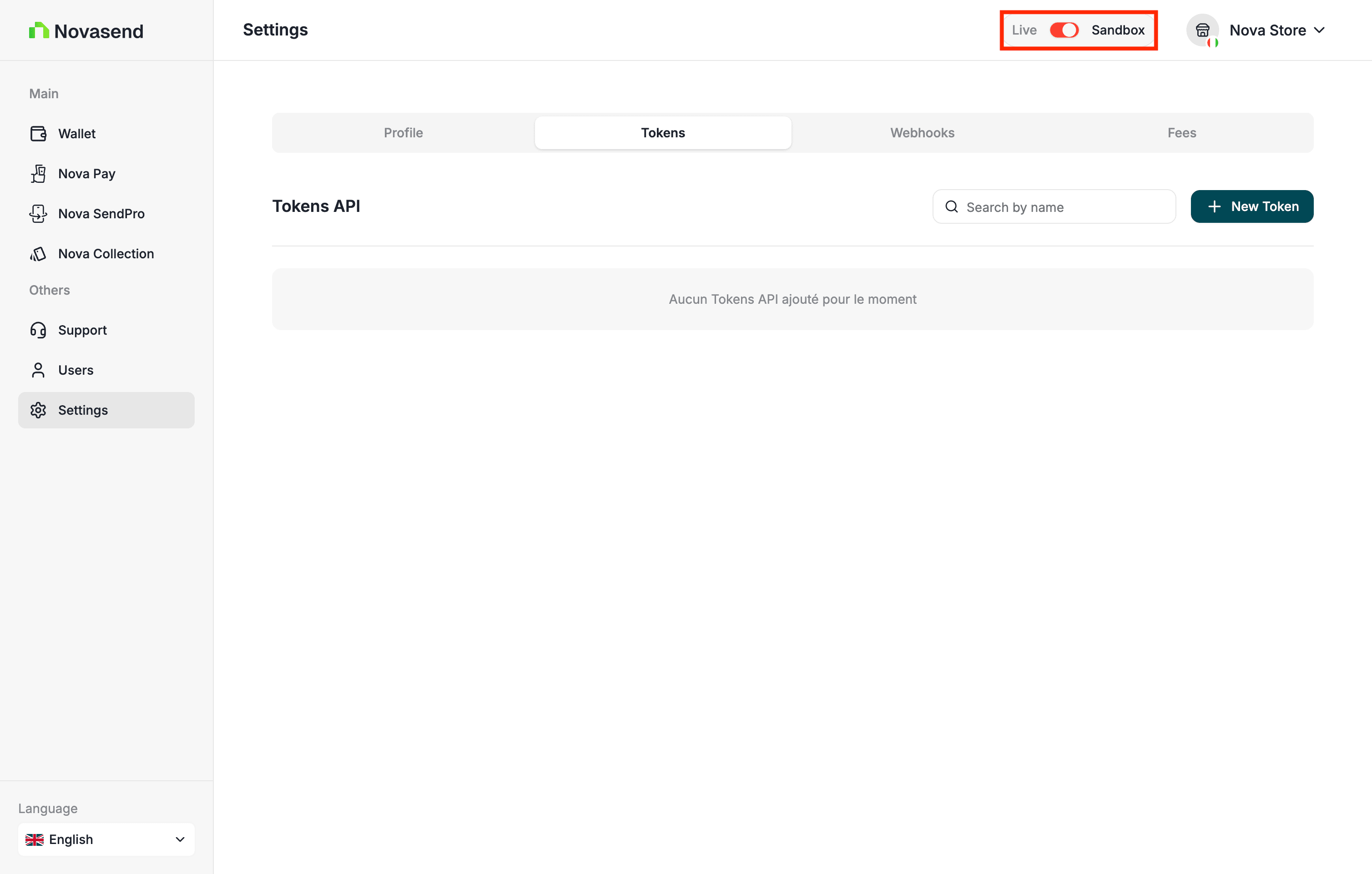
Important: Sandbox uses fictitious funds. Payments, transfers, and deposits are simulated and never move real money.
Authentication
Novasend APIs use HTTP Basic authentication.
Each request must include an Authorization header containing your credentials encoded in Base64, in the format username:password.
For example:
Authorization: Basic <base64(username:password)>
A key (or credential pair) is provided by Novasend to identify your merchant account.
Never share these credentials. Do not expose them on the client side and store them only on secure servers.
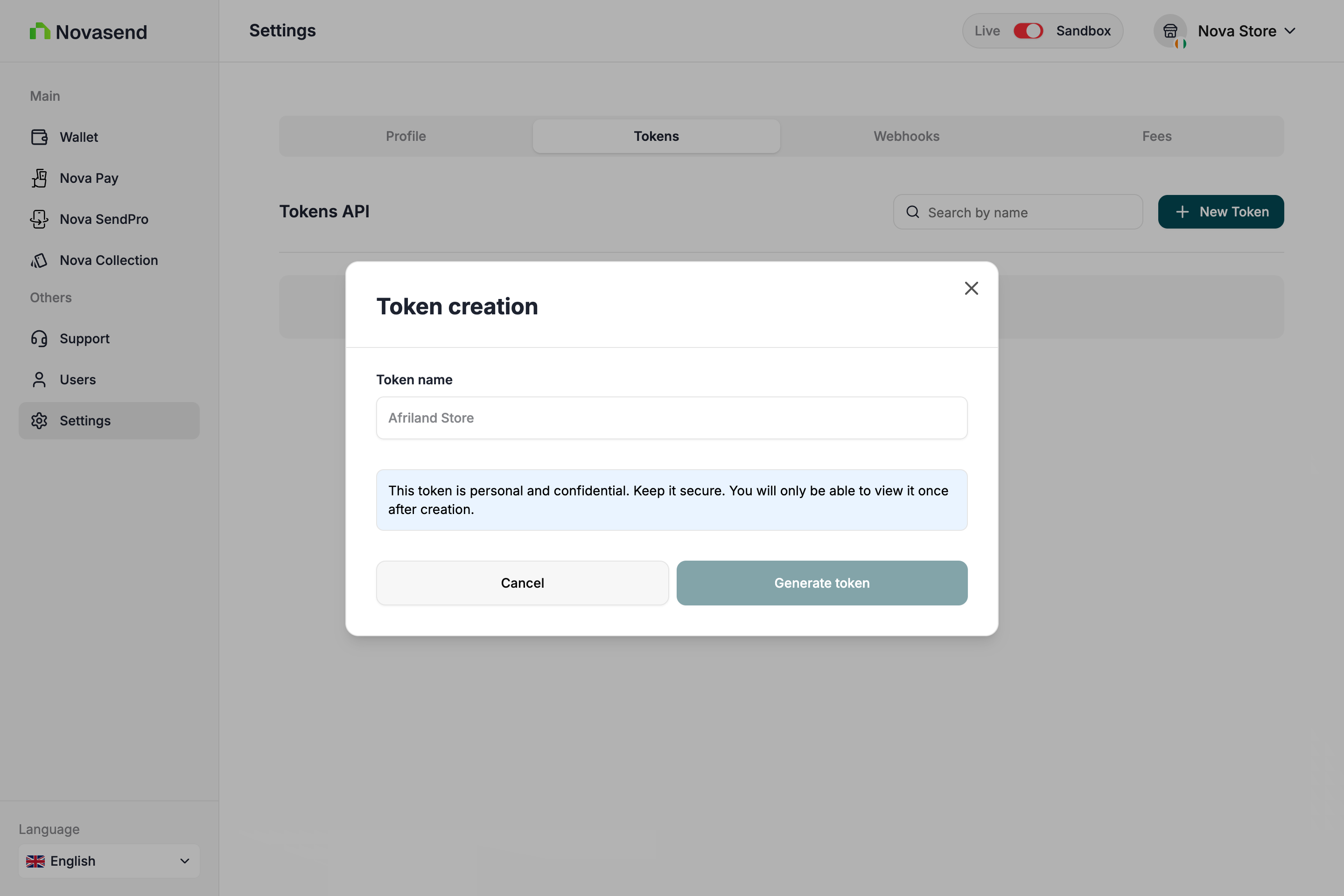
- Creating an API Key
After logging into your dashboard, go to the Settings tab, then access the Token section and click the New Token button.
-
Required Headers
Authorization
Required for authentication.
Use Base64 encoding of your API credentials:
Authorization: Basic <base64(username:password)>Content-Type
Required for requests with a body.
The value must be:
Content-Type: application/jsonAccept-Language (optional)
Allows you to set the language for error messages.
Supported values:fr,en
Example:Accept-Language: fr -
Error
When an API request fails, the response includes error details in both the HTTP status code and the response body.
Key Description code Error code identifier. There are multiple possible values. Example: ( country_not_found).message Contains the error description. Example: ( The country with code C does not exist).statusCode HTTP status code associated with the error ( 404).
Payment Options and Limits
Payin Amounts (CI):
- min: 300 FCFA
- max: 2,000,000 FCFA
Payout Amounts (CI):
- min: 500 FCFA
- max: 1,500,000 FCFA
Payin Amounts (CM):
- min: 200 FCFA
- max: 500,000 FCFA
Payout Amounts (CM):
- min: 200 FCFA
- max: 500,000 FCFA
Côte d'Ivoire - CI
| Provider | Payin | Payout |
|---|---|---|
| Orange | ORANGE | ORANGE |
| MTN | MOMO | MOMO |
| Moov | MOOV | MOOV |
| Wave | WAVE | WAVE |
Cameroon - CM
| Provider | Payin | Payout |
|---|---|---|
| Orange | ORANGE | ORANGE |
| MTN | MOMO | MOMO |
Phone number format
- Côte d'ivoire -CI
| Provider | Code | E.164 Length | MSISDN Length | E.164 Mask | First Two Digits |
|---|---|---|---|---|---|
| Orange | +225 | 14 | 10 | +225########## | 07 |
| MTN | +225 | 14 | 10 | +225########## | 05 |
| Moov | +225 | 14 | 10 | +225########## | 01 |
| Wave | +225 | 14 | 10 | +225########## | 01, 05, 07 |
- Caméroun -CM
| Provider | Code | E.164 Length | MSISDN Length | E.164 Mask | First Three Digits |
|---|---|---|---|---|---|
| Orange | +237 | 13 | 9 | +237######### | 655, 656, 657, 658, 659, 699 |
| MTN | +237 | 13 | 9 | +237######### | 650, 651, 652, 653, 654, 670, 671, 672, 673, 674, 675, 676, 677, 678, 679, 680, 681, 682, 683, 684, 685, 686, 687, 688, 689 |
Refund rules:
- Payout (Transfer): In case of a failed payment status, Novasend refunds the gross amount (Charged amount + fees) to the Merchant's wallet.
- Payin (Payment): In case of a failed payment status where the Merchant's customer has been debited, Novasend verifies with its partners the transaction status. When it is confirmed that the funds have been collected by the partner, Novasend changes the transaction status from failed to success with a callback (webhook) notification, and credits the Merchant's account within a maximum of 48 hours.
API Keys
You can manage API keys in the developer section of the Novasend business portal. You can create, view, and revoke keys.
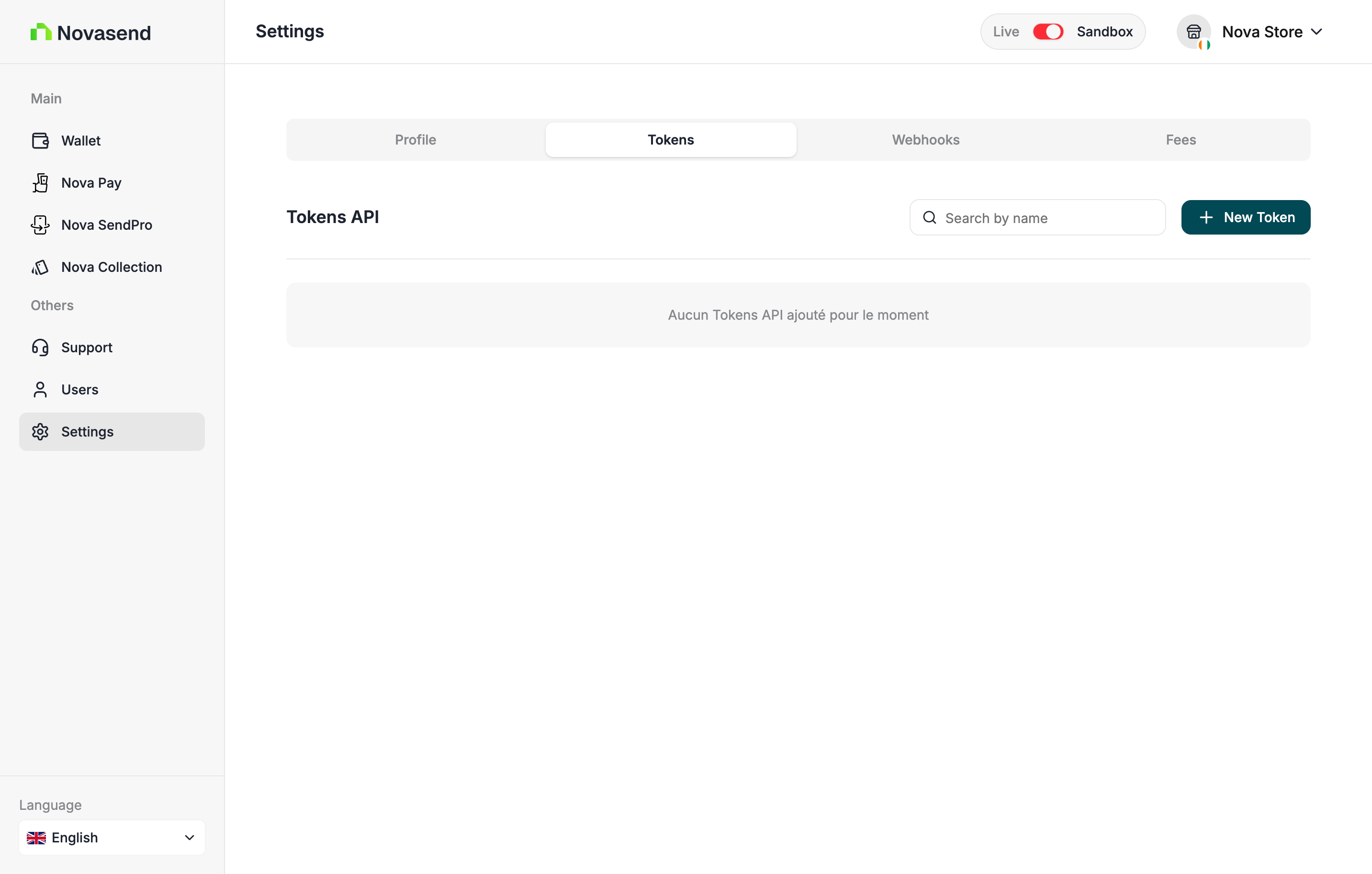
When you create a new API key, you will only see the complete key once. Make sure to copy it without missing any characters, as it will be hidden afterwards for security reasons.
Only admin users can access the Settings section of the business portal. If you are an admin but still don't see it, contact API support to enable it.
Webhook
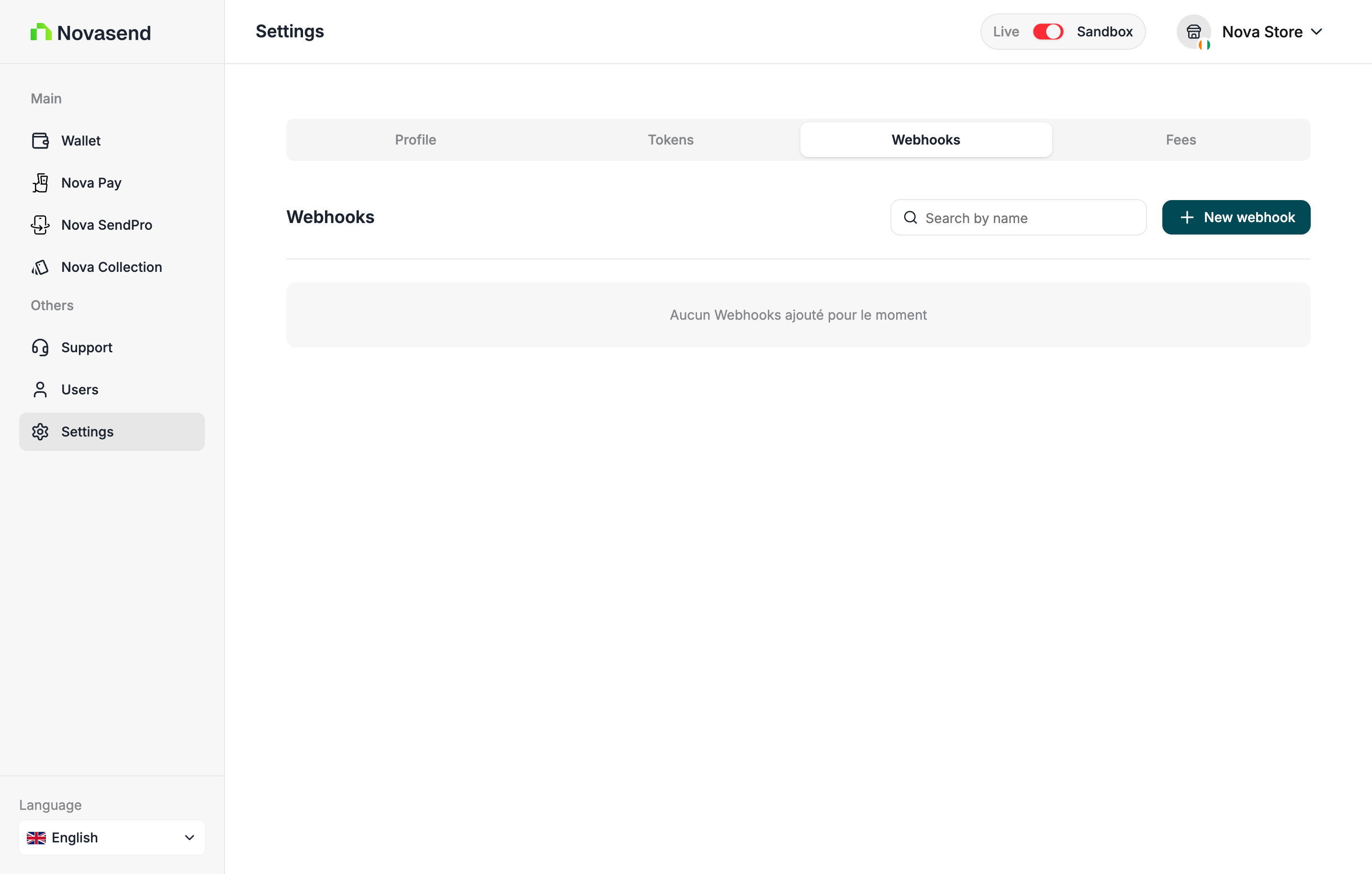
You can manage your webhooks by going to settings and the Webhook tab. You can create, view, and delete your webhooks.
Security and Verification
To ensure that the transaction events received by your system are authentic, you must verify the HMAC signature.
- At creation: You provide a Secret Key. This key is stored securely and is used to sign notifications.
- At delivery: For each notification, Novasend generates an HMAC Signature from your secret key and includes it in the request headers.
- On your server:
- Retrieve the signature from the headers.
- Calculate your own HMAC signature using the Secret Key saved during creation.
- Compare your generated signature with the one received in the header.
- If they match, the transaction is validated.
GOOD TO KNOW
The Webhook Secret is different from your API Key (Secret API). The secret is unique to each webhook and can be found in its configuration within the Business portal settings.
Each notification is signed by the API using the webhook secret:
X-Signature-Value: HMAC_SHA256(body, secret)On the merchant side, you must recalculate this signature to verify the message integrity:
const crypto = require("crypto");

const signature = crypto
  .createHmac("sha256", secret)
  .update(JSON.stringify(body))
  .digest("hex");

if (signature !== headers["x-signature-value"]) {
  throw new Error("Invalid signature");
}
Response
{
  "id": "tr_bbodj27lqhckrc7yomyjlo",
  "fees": 0,
  "type": "payin",
  "amount": 306,
  "status": "processing",
  "failure": null,
  "currency": "XOF",
  "customer": {
    "name": "Souleymane Diomande",
    "phoneNumber": "+2250153013761"
  },
  "createdAt": "2026-02-02T09:11:14.793Z",
  "reference": "TRX-69806a329d1b9",
  "paymentUrl": "https://pay.wave.com/c/cos-22rs5qhyr2ej6?a=306&c=XOF&m=NOVASEND%20CI%20%2A%20Conn",
  "chargedAmount": 306,
  "confirmationStatus": "none",
  "confirmationRequired": false
}- Response Fields Description
| Field | Description |
|---|---|
| id | Unique identifier of the transaction. |
| fees | Fees applied to the transaction (in XOF). |
| type | Transaction type — here payin (incoming payment). |
| amount | Initial transaction amount requested (in XOF). |
| status | Current transaction status (processing, success, failed, etc.). |
| failure | Error details if the transaction failed, otherwise null. |
| currency | Currency of the transaction (ISO code), here XOF. |
| createdAt | ISO timestamp indicating when the transaction was created. |
| reference | Merchant-defined unique reference for the transaction. |
| paymentUrl | Web or deep link allowing the customer to complete the payment. If the provider is Wave, this URL redirects to Wave's payment interface. |
| chargedAmount | Final amount charged to the customer (in XOF). |
| confirmationStatus | Status of beneficiary confirmation (none, pending, accepted, declined). |
| confirmationRequired | Indicates whether beneficiary confirmation is required before processing the transaction. |
- Customer
| Field | Description |
|---|---|
| customer.name | Full name of the customer making the payment. |
| customer.phoneNumber | Customer phone number in E.164 format. |
Obligation
- Verify the HMAC signature before processing the data.
- Use a dedicated and secure endpoint (HTTPS required).
- Handle replayability (idempotence) for each webhook via the
eventIdfield (optional). - Set up a queue or asynchronous processing on the merchant side to avoid blocking.